Buy freemoda.eu ?
We are moving the project
freemoda.eu .
Are you interested in purchasing the domain
freemoda.eu ?
domain@kv-gmbh.de · 0541-91531010
Buy freemoda.eu ?
How can I encrypt my TP-Link Wi-Fi network?
To encrypt your TP-Link Wi-Fi network, you can enable WPA2 encryption on your router. This can usually be done by accessing your router's settings through a web browser and navigating to the wireless security settings. From there, you can select WPA2 as the encryption method and create a strong password to secure your network. Make sure to save the changes and reconnect your devices using the new password to ensure they are protected. **
Why does the TP-Link Wi-Fi extender lose connection?
The TP-Link Wi-Fi extender may lose connection due to a variety of reasons, including interference from other electronic devices, signal obstructions, outdated firmware, or being placed too far from the router. Additionally, network congestion or a weak Wi-Fi signal from the main router can also cause the extender to lose connection. It's important to troubleshoot and address these issues to ensure a stable and reliable connection with the Wi-Fi extender. **

Similar search terms for TP-LINK-AC2100-Dual-Band-Wi-Fi
Top-Angebote
Products related to TP-LINK-AC2100-Dual-Band-Wi-Fi:
-
TP-LINK AC1200 Mesh Dual Band Wi-Fi Range Extender, Broadband/Booster/Hotspot 1 Ethernet Port, Built-In Access Point Mode, Works with Any Wi-Fi Router, UK Plug, NewEliminate weak signal areas with whole home Wi-Fi coverage, creates a Mesh network by connecting to a OneMesh router for seamless whole-home coverage 2.4 GHz (300 Mbps) and 5 GHz (867 Mbps) Dual-band Wi-Fi connection ensures more stable wireless experience, works with any Wi-Fi router or wireless access point. System Requirements: Microsoft Windows 98SE, NT, 2000, XP, Vista or Windows 7, 8, 8.1, 10, MAC OS, NetWare, UNIX or Linux Internet Explorer 11, Firefox 12.0, Chrome 20.0, Safari 4.0, or other Java-enabled browser Adaptive Path Selection – connects to the fastest connection path to the router automatically and runs at top-speed, Smart signal indicator helps to find the best location for optimal Wi-Fi coverage by showing the signal strength High Speed Mode – Use both Wi-Fi bands to establish one super-high-speed connection, ideal for HD streaming and gaming AP Mode – create a new Wi-Fi access point to enhance your wired network with Wi-Fi capability, with 3 years manufactory warranty29,99 £*Shipping: 0,00 £Secure redirect to the provider
-
TP-LINK Wi-Fi Dongle AC1300 Wireless Dual Band USB Wi-Fi Adapter for PC Desktop Laptop Tablet (Supports Windows XP/7/8/8.1/10/11 and Linux, USB 3.0)Tp-Link Wi-Fi Dongle AC1300 Wireless Dual Band USB Wi-Fi Adapter for PC Desktop Laptop Tablet (Supports Windows XP/7/8/8.1/10/11 and Linux, USB 3.0) (Archer T4U) Description Item model number Archer T4U Item Weight 20 g Data transfer rate 1200 Megabits Per Second Operating System Windows 11/10/8.1/8/7/XP Are Batteries Included No Data link protocol USB Product Dimensions 9.3 x 3.2 x 1.4 cm; 20 Grams Compatible devices Laptop, Desktop Product dimensions 9.3L x 3.2W x 1.4H centimetres Wireless Type 802.11n, 802.11b, 802.11a, 802.11ac, 802.11g Item weight 0.02 Kilograms Guaranteed software updates until unknown Brand TP-Link Hardware interface USB Colour Black Style Name AC1300 Mbps High Gain Manufacturer TP-Link Ultra-fast 1300 (867+400) Mbps wireless speed with 802.11ac Dual Band connections for lag-free HD video streaming and gaming High gain antennas improve range, signal quality and transmission performance High speed USB 3.0 port-Up to 10x faster than USB 2.0 Supports Window 11/10/8.1/7/7/XP and and Linux 2.6.244.734,99 £*Shipping: 0,00 £Secure redirect to the provider
-
TP-LINK AX3000 Dual-Band Wi-Fi 6 Bluetooth 5.2 PCIe Adapter with Two Antennas, specialized heatsink, 1024-QAM, Ultra-Low Latency, Intel® Wi-Fi 6 Chipset, Supports Windows 10/11(64bit) (Archer TX55E)75% Lower Latency- Revolutionary OFDMA reduces lag by up to 75%. More responsive gaming and seamless video conferencing. Improved Security WPA3- The latest security enhancements provides enhanced protection in personal password safety. Next-Gen Wi-Fi Technology- Breaks the gigabit barrier with speed up to 2402 Mbps (5 GHz) + 574 Mbps (2.4 GHz) Low-Profile Bracket- In addition to the standard bracket, a low-profile bracket is also provided for mini tower computer cases. Reliable Connections—Intel Wi-Fi 6 chipset brings faster and clearer Wi-Fi to fully unlock the potential of your Wi-Fi 6 router. With 3 years manufactory warranty. Fine Crafting—Specialized heatsink and gold plating is crafted to improve stability and reliability even in hot environments. Brand TP-Link Hardware interface Bluetooth Colour Silver, Black Compatible devices Desktop Item dimensions L x W x H 5.5 x 3.6 x 1.1 centimetres Data link protocol Bluetooth Data transfer rate 574 Megabits Per Second44,99 £*Shipping: 0,00 £Secure redirect to the provider
-
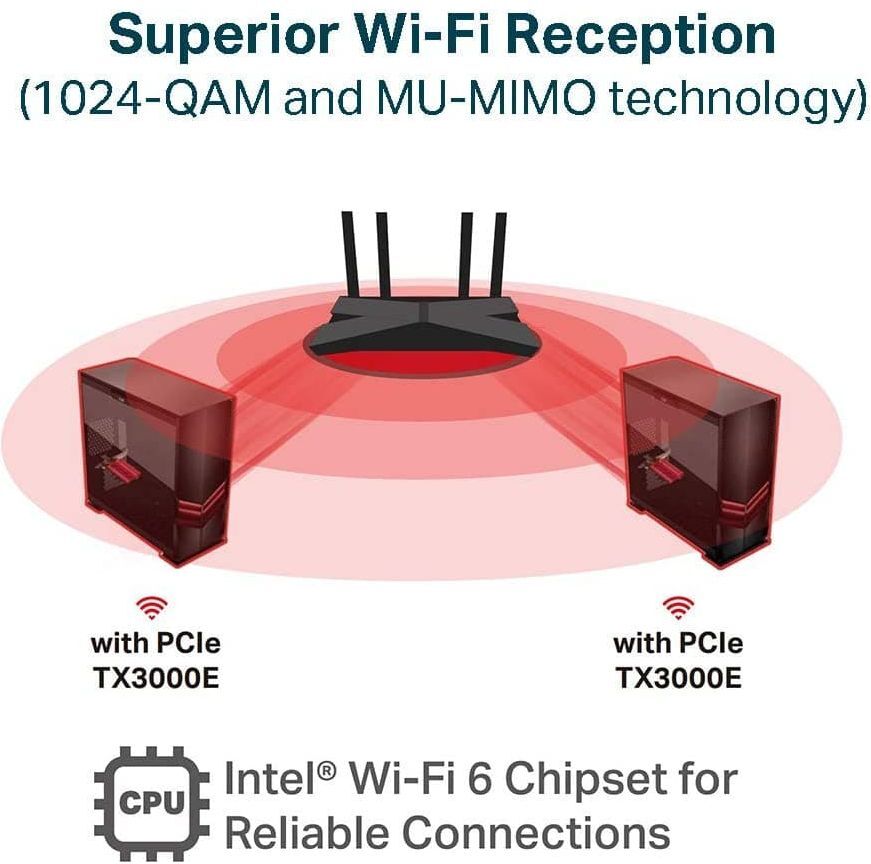
TP-LINK AX3000 Wi-Fi 6 Bluetooth 5.2 PCI Express Adapter (Archer TX3000E)Overview Upgrade your desktop connectivity with the TP-LINK AX3000 Wi-Fi 6 Bluetooth 5.2 PCI Express Adapter (Archer TX3000E). Powered by the Intel® AX200 chipset, this high-performance PCIe network interface card delivers ultra-fast dual-band Wi-Fi 6 speeds of up to 3000Mbps, reduced latency, and improved efficiency for gaming, streaming, and heavy data usage. With advanced technologies such as OFDMA and MU-MIMO, plus Bluetooth 5.2 support, it provides seamless wireless networking and device connectivity for modern PCs. Key Features AX3000 Dual-Band Wi-Fi 6 Speeds – Up to 2402Mbps on 5GHz and 574Mbps on 2.4GHz Intel® AX200 Chipset – Reliable performance and stable connectivity Bluetooth 5.2 Technology – Faster speeds and wider coverage for wireless peripherals Advanced Wi-Fi 6 Technologies – OFDMA, MU-MIMO, and 1024-QAM for increased efficiency Ultra-Low Latency – Ideal for competitive gaming and HD/4K streaming Dual High-Gain Antennas – Enhanced signal strength and coverage PCI Express Interface – Easy installation into desktop motherboards Low-Profile Bracket Included – Suitable for compact PC builds Benefits The TP-LINK Archer TX3000E is the perfect solution for desktops that require fast, stable wireless connectivity without relying on Ethernet cables. Wi-Fi 6 technology ensures higher throughput, reduced congestion, and smoother online gaming experiences. Bluetooth 5.2 enables seamless pairing with wireless headphones, keyboards, controllers, and other accessories. Its high-gain antennas improve range and signal stability, while the included low-profile bracket makes it compatible with both standard and compact desktop cases. Whether you're upgrading an older PC or building a new system, this AX3000 PCIe Wi-Fi card delivers reliable, future-ready performance. Specifications Table Specification Details Model Archer TX3000E EAN 6935364088961 Wi-Fi Standard Wi-Fi 6 (IEEE 802.11ax/ac/n/g/b/a) Max Speed AX3000 (2402Mbps 5GHz + 574Mbps 2.4GHz) Frequency Bands 2.4GHz & 5GHz Dual Band Bluetooth Version 5.2 Chipset Intel® AX200 Interface PCI Express (PCIe x1) Antennas 2 × External High-Gain Antennas Security WPA3, WPA2, WPA Bracket Standard & Low-Profile Included Compatibility Windows 10 / 11 (64-bit) Dimensions 95.2 × 120.8 × 21.5 mm Weight Approx. 150g39,00 £*Shipping: 0,00 £Secure redirect to the provider


-
How can I reset the TP-Link Wi-Fi repeater?
To reset the TP-Link Wi-Fi repeater, you can use the reset button located on the device. Press and hold the reset button for 10 seconds using a paperclip or a similar tool until the LED lights start flashing. This will reset the repeater to its factory default settings. After the reset, you will need to reconfigure the repeater with your Wi-Fi network settings. **
-
Why is the TP-Link Wi-Fi repeater not working anymore?
There could be several reasons why the TP-Link Wi-Fi repeater is not working anymore. It could be due to a power outage, a loose connection, or interference from other electronic devices. It is also possible that the repeater needs to be reset or reconfigured. Checking the power source, connections, and troubleshooting the device settings can help identify and resolve the issue. **
-
How to create a Wi-Fi network with a TP-Link repeater?
To create a Wi-Fi network with a TP-Link repeater, first, plug in the repeater to a power outlet within the range of your existing Wi-Fi network. Connect to the repeater's default Wi-Fi network using a computer or smartphone. Access the repeater's web interface by typing its default IP address in a web browser. Follow the on-screen instructions to configure the repeater to connect to your existing Wi-Fi network. Once configured, the repeater will extend the range of your Wi-Fi network. **
-
Why does the TP-Link TL-WA854RE Wi-Fi repeater turn off?
The TP-Link TL-WA854RE Wi-Fi repeater may turn off due to several reasons, such as power fluctuations, overheating, or a malfunction in the device itself. Power fluctuations can cause the repeater to shut off to protect itself from damage. Overheating can also trigger an automatic shutdown to prevent the device from getting damaged. Additionally, if there is a malfunction in the repeater, it may turn off as a safety measure. **


What are the connectivity issues with the TP-Link Wi-Fi extender?
Some common connectivity issues with TP-Link Wi-Fi extenders include intermittent connection drops, slow or unstable connection speeds, difficulty in connecting to the extender's network, and limited coverage range. These issues can be caused by interference from other electronic devices, outdated firmware, improper placement of the extender, or compatibility issues with the router. Troubleshooting steps such as updating the extender's firmware, relocating it closer to the router, and ensuring it is set up correctly can help resolve these connectivity issues. **
What are the connection problems with the TP-Link Wi-Fi extender?
The TP-Link Wi-Fi extender may experience connection problems due to a variety of reasons. Some common issues include interference from other electronic devices, outdated firmware, incorrect placement of the extender, or a weak signal from the main router. Additionally, network congestion and compatibility issues with the router can also lead to connection problems. It's important to troubleshoot these issues by updating the extender's firmware, ensuring proper placement, and minimizing interference from other devices to improve the connection. **
Top-Angebote
Products related to TP-LINK-AC2100-Dual-Band-Wi-Fi:
-
TP-LINK AC2100 Dual-Band Wi-Fi VDSL/ADSL Modem Router, Used - Like NewAbout this product Compatible with the VDSL /ADSL standard, the Archer VR600 V3 supports super-fast combined speeds of up to 300 Mbps (over 2.4 GHz) and 1733 Mbps (over 5 GHz). 4 Gigabit LAN/WAN ports accept connection from Cable Modem or Fibre Modem, helping wired devices achieve peak performance for HD streaming and gaming. The USB port supports 3G/4G dongle connection. MU-MIMO technology serves up to four devices at once, reducing wait time, increasing Wi-Fi throughput for every device, and making each stream more efficient. 4 x 4 MU-MIMO Technology – simultaneously exchanges data with several devices, achieving speeds which are 4x faster than standard AC routers. Cable connection. 3 Gigabit LAN Ports, 1 Gigabit LAN/WAN Port, 1 RJ11 Port, 1 USB Port. Transfer speed up to AC2100Mbps. Weight 0.42kg. Size L21.58, W16.38, D3.85cm. EAN: 6935364096885.89,99 £*Shipping: 0,00 £Secure redirect to the provider
-
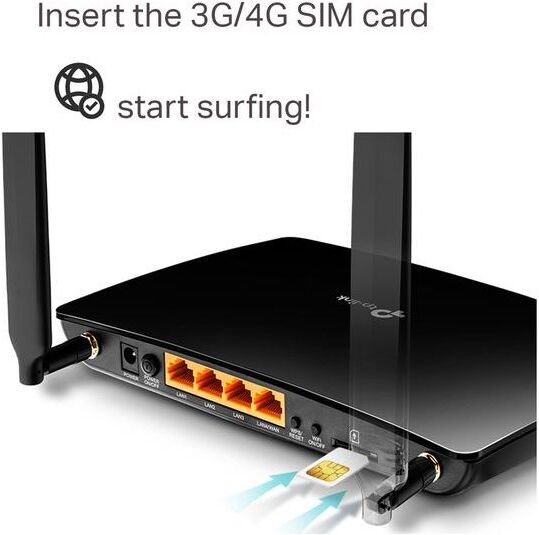
TP-LINK Archer MR200 AC750 Dual Band 4G LTE SIM Wi-Fi Router.gadcet-pdp{--g-green:#00a651;color:#1f2430;line-height:1.55;font-size:inherit;max-width:760px}.gadcet-pdp>*:first-child{margin-top:0}.gadcet-pdp p{margin:0 0.9em}.gadcet-pdp h3{font-size:1.05em;font-weight:600;color:#11161f;margin:1.4em 0.5em;padding-left:.5em;border-left:3px solid var(--g-green);border-radius:0;line-height:1.3}.gadcet-pdp ul{list-style:none!important;margin:0 0.9em;padding:0!important}.gadcet-pdp ul li{position:relative;padding:.1em 0.1em 1.5em;margin:0}.gadcet-pdp ul li::before{content:"";position:absolute;left:.16em;top:.45em;width:.36em;height:.66em;border:solid var(--g-green);border-width:0.14em.14em 0;transform:rotate(45deg)}.gadcet-pdp table{width:100%;border-collapse:collapse;margin:.3em 0 1em;font-size:.95em;border:1px solid #e7e9ee!important;border-radius:8px;overflow:hidden}.gadcet-pdp table td{padding:.5em.8em;border-bottom:1px solid #eef0f4!important;vertical-align:top}.gadcet-pdp table tr:last-child td{border-bottom:0!important}.gadcet-pdp table tr:nth-child(even){background:#f7f9f8}.gadcet-pdp table td:first-child{font-weight:600;color:#454c59;width:40%}@media (max-width:600px){.gadcet-pdp table td:first-child{width:42%}} Stay connected without a landline thanks to the TP-Link Archer MR200, a dual-band 4G LTE Wi-Fi router that turns a Micro SIM card into a shareable wireless network for your home. Key Features 4G LTE connectivity via a Micro SIM card slot – no configuration needed, just insert your SIM AC750 dual-band Wi-Fi with 2.4 GHz and 5 GHz bands for browsing and faster downloads Guest network access so visitors can get online without full access to your network Parental controls to restrict access to certain sites Integrated antennas for reliable connections and good home coverage Works with 3G or 4G mobile broadband Micro SIM cards Benefits Get online in places where fixed-line broadband is unavailable or slow More people can connect at the same time with dual-band speeds Keep your network secure and family-friendly with easy controls Simple plug-and-play setup – no technical know-how required Specifications Brand TP-Link Model Archer MR200 Wi-Fi Speed AC750 Bands Dual-band (2.4 GHz + 5 GHz) SIM Type Micro SIM (3G/4G LTE) Antennas Integrated What You'll Receive 1 x TP-Link Archer MR200 AC750 Dual Band 4G LTE SIM Wi-Fi Router (New) Ideal For Homes or small offices with light internet usage, rented properties without a phone line, or anyone needing a flexible backup internet connection using a mobile SIM.69,99 £*Shipping: 0,00 £Secure redirect to the provider
-
TP-LINK AC1200 Mesh Dual Band Wi-Fi Range Extender, Broadband/Booster/Hotspot 1 Ethernet Port, Built-In Access Point Mode, Works with Any Wi-Fi Router, UK Plug, NewEliminate weak signal areas with whole home Wi-Fi coverage, creates a Mesh network by connecting to a OneMesh router for seamless whole-home coverage 2.4 GHz (300 Mbps) and 5 GHz (867 Mbps) Dual-band Wi-Fi connection ensures more stable wireless experience, works with any Wi-Fi router or wireless access point. System Requirements: Microsoft Windows 98SE, NT, 2000, XP, Vista or Windows 7, 8, 8.1, 10, MAC OS, NetWare, UNIX or Linux Internet Explorer 11, Firefox 12.0, Chrome 20.0, Safari 4.0, or other Java-enabled browser Adaptive Path Selection – connects to the fastest connection path to the router automatically and runs at top-speed, Smart signal indicator helps to find the best location for optimal Wi-Fi coverage by showing the signal strength High Speed Mode – Use both Wi-Fi bands to establish one super-high-speed connection, ideal for HD streaming and gaming AP Mode – create a new Wi-Fi access point to enhance your wired network with Wi-Fi capability, with 3 years manufactory warranty29,99 £*Shipping: 0,00 £Secure redirect to the provider
-
TP-LINK Wi-Fi Dongle AC1300 Wireless Dual Band USB Wi-Fi Adapter for PC Desktop Laptop Tablet (Supports Windows XP/7/8/8.1/10/11 and Linux, USB 3.0)Tp-Link Wi-Fi Dongle AC1300 Wireless Dual Band USB Wi-Fi Adapter for PC Desktop Laptop Tablet (Supports Windows XP/7/8/8.1/10/11 and Linux, USB 3.0) (Archer T4U) Description Item model number Archer T4U Item Weight 20 g Data transfer rate 1200 Megabits Per Second Operating System Windows 11/10/8.1/8/7/XP Are Batteries Included No Data link protocol USB Product Dimensions 9.3 x 3.2 x 1.4 cm; 20 Grams Compatible devices Laptop, Desktop Product dimensions 9.3L x 3.2W x 1.4H centimetres Wireless Type 802.11n, 802.11b, 802.11a, 802.11ac, 802.11g Item weight 0.02 Kilograms Guaranteed software updates until unknown Brand TP-Link Hardware interface USB Colour Black Style Name AC1300 Mbps High Gain Manufacturer TP-Link Ultra-fast 1300 (867+400) Mbps wireless speed with 802.11ac Dual Band connections for lag-free HD video streaming and gaming High gain antennas improve range, signal quality and transmission performance High speed USB 3.0 port-Up to 10x faster than USB 2.0 Supports Window 11/10/8.1/7/7/XP and and Linux 2.6.244.734,99 £*Shipping: 0,00 £Secure redirect to the provider
-
How can I encrypt my TP-Link Wi-Fi network?
To encrypt your TP-Link Wi-Fi network, you can enable WPA2 encryption on your router. This can usually be done by accessing your router's settings through a web browser and navigating to the wireless security settings. From there, you can select WPA2 as the encryption method and create a strong password to secure your network. Make sure to save the changes and reconnect your devices using the new password to ensure they are protected. **
-
Why does the TP-Link Wi-Fi extender lose connection?
The TP-Link Wi-Fi extender may lose connection due to a variety of reasons, including interference from other electronic devices, signal obstructions, outdated firmware, or being placed too far from the router. Additionally, network congestion or a weak Wi-Fi signal from the main router can also cause the extender to lose connection. It's important to troubleshoot and address these issues to ensure a stable and reliable connection with the Wi-Fi extender. **
-
How can I reset the TP-Link Wi-Fi repeater?
To reset the TP-Link Wi-Fi repeater, you can use the reset button located on the device. Press and hold the reset button for 10 seconds using a paperclip or a similar tool until the LED lights start flashing. This will reset the repeater to its factory default settings. After the reset, you will need to reconfigure the repeater with your Wi-Fi network settings. **
-
Why is the TP-Link Wi-Fi repeater not working anymore?
There could be several reasons why the TP-Link Wi-Fi repeater is not working anymore. It could be due to a power outage, a loose connection, or interference from other electronic devices. It is also possible that the repeater needs to be reset or reconfigured. Checking the power source, connections, and troubleshooting the device settings can help identify and resolve the issue. **
Similar search terms for TP-LINK-AC2100-Dual-Band-Wi-Fi
-
TP-LINK AX3000 Dual-Band Wi-Fi 6 Bluetooth 5.2 PCIe Adapter with Two Antennas, specialized heatsink, 1024-QAM, Ultra-Low Latency, Intel® Wi-Fi 6 Chipset, Supports Windows 10/11(64bit) (Archer TX55E)75% Lower Latency- Revolutionary OFDMA reduces lag by up to 75%. More responsive gaming and seamless video conferencing. Improved Security WPA3- The latest security enhancements provides enhanced protection in personal password safety. Next-Gen Wi-Fi Technology- Breaks the gigabit barrier with speed up to 2402 Mbps (5 GHz) + 574 Mbps (2.4 GHz) Low-Profile Bracket- In addition to the standard bracket, a low-profile bracket is also provided for mini tower computer cases. Reliable Connections—Intel Wi-Fi 6 chipset brings faster and clearer Wi-Fi to fully unlock the potential of your Wi-Fi 6 router. With 3 years manufactory warranty. Fine Crafting—Specialized heatsink and gold plating is crafted to improve stability and reliability even in hot environments. Brand TP-Link Hardware interface Bluetooth Colour Silver, Black Compatible devices Desktop Item dimensions L x W x H 5.5 x 3.6 x 1.1 centimetres Data link protocol Bluetooth Data transfer rate 574 Megabits Per Second44,99 £*Shipping: 0,00 £Secure redirect to the provider
-
TP-LINK AX3000 Wi-Fi 6 Bluetooth 5.2 PCI Express Adapter (Archer TX3000E)Overview Upgrade your desktop connectivity with the TP-LINK AX3000 Wi-Fi 6 Bluetooth 5.2 PCI Express Adapter (Archer TX3000E). Powered by the Intel® AX200 chipset, this high-performance PCIe network interface card delivers ultra-fast dual-band Wi-Fi 6 speeds of up to 3000Mbps, reduced latency, and improved efficiency for gaming, streaming, and heavy data usage. With advanced technologies such as OFDMA and MU-MIMO, plus Bluetooth 5.2 support, it provides seamless wireless networking and device connectivity for modern PCs. Key Features AX3000 Dual-Band Wi-Fi 6 Speeds – Up to 2402Mbps on 5GHz and 574Mbps on 2.4GHz Intel® AX200 Chipset – Reliable performance and stable connectivity Bluetooth 5.2 Technology – Faster speeds and wider coverage for wireless peripherals Advanced Wi-Fi 6 Technologies – OFDMA, MU-MIMO, and 1024-QAM for increased efficiency Ultra-Low Latency – Ideal for competitive gaming and HD/4K streaming Dual High-Gain Antennas – Enhanced signal strength and coverage PCI Express Interface – Easy installation into desktop motherboards Low-Profile Bracket Included – Suitable for compact PC builds Benefits The TP-LINK Archer TX3000E is the perfect solution for desktops that require fast, stable wireless connectivity without relying on Ethernet cables. Wi-Fi 6 technology ensures higher throughput, reduced congestion, and smoother online gaming experiences. Bluetooth 5.2 enables seamless pairing with wireless headphones, keyboards, controllers, and other accessories. Its high-gain antennas improve range and signal stability, while the included low-profile bracket makes it compatible with both standard and compact desktop cases. Whether you're upgrading an older PC or building a new system, this AX3000 PCIe Wi-Fi card delivers reliable, future-ready performance. Specifications Table Specification Details Model Archer TX3000E EAN 6935364088961 Wi-Fi Standard Wi-Fi 6 (IEEE 802.11ax/ac/n/g/b/a) Max Speed AX3000 (2402Mbps 5GHz + 574Mbps 2.4GHz) Frequency Bands 2.4GHz & 5GHz Dual Band Bluetooth Version 5.2 Chipset Intel® AX200 Interface PCI Express (PCIe x1) Antennas 2 × External High-Gain Antennas Security WPA3, WPA2, WPA Bracket Standard & Low-Profile Included Compatibility Windows 10 / 11 (64-bit) Dimensions 95.2 × 120.8 × 21.5 mm Weight Approx. 150g39,00 £*Shipping: 0,00 £Secure redirect to the provider
-
TP-LINK AX1800 Wi-Fi 6 Gigabit Dual Band Wireless Router, Wi-Fi Speed up to 1.8 Gbps, 8 Gigabit LAN Ports+1 USB 2.0 Port, Quad-Core Processing, Ideal for Gaming Xbox/PS4/Steam & 4K (Archer AX20)Dual-Band Wi-Fi 6: Equipped with the latest wireless technology, Wi-Fi 6, for faster speeds, greater capacity, and reduced network congestion Next-Gen 1.8 Gbps Speeds: Enjoy smooth streaming, downloading, and gaming all without buffering with Wi-Fi speeds of 1.8 Gbps Quad-Core Processing: The 1.5 GHz quad-core CPU ensures communications between your router and all connected devices are smooth Extensive Coverage: Beamforming, independent FEM, and four antennas combine to deliver focused reception to devices far away High compatibility: It is compatible with different modem. If your internet is the DSL connection or fiber connection you need to use a DSL or fiber Modem first, then connect this wireless router with your modem. If your internet is the ethernet connection, you can direct use this router to start your wifi 6 journey74,99 £*Shipping: 0,00 £Secure redirect to the provider
-
TP-LINK Deco BE65 Whole Home Mesh Wi-Fi 7 System – 9.3Gbps Tri-Band, 3-Pack – Ultra-Fast, Seamless Gigabit Wireless Coverage, NewOverview The TP-Link Deco BE65 is a next-generation Whole Home Mesh Wi-Fi 7 system designed to deliver lightning-fast, ultra-reliable wireless coverage for large households and high-demand environments. With speeds up to 9.3Gbps, advanced multi-link operation and seamless roaming, this 3-pack provides complete home coverage with low latency, stronger stability and exceptional performance for 4K/8K streaming, online gaming, smart homes and heavy multi-device use. Key Features Wi-Fi 7 Technology (802.11be) – Faster speeds, lower latency and improved stability over Wi-Fi 6/6E. Up to 9.3Gbps Tri-Band Speed – Delivers ultra-high throughput for streaming, gaming and multitasking. Whole-Home Mesh Coverage – Three units work together to eliminate dead zones and provide seamless roaming. Multi-Link Operation (MLO) – Combines multiple bands for faster, more reliable connections. Supports Dozens of Devices – Ideal for smart homes, IoT, gaming consoles and busy households. AI-Driven Mesh Optimisation – Automatically adapts to your home network conditions for stronger performance. Wired Backhaul Options – Multi-Gig Ethernet ports for high-speed wired connections between nodes. Robust Security – Enhanced HomeShield protection to secure your network and connected devices. Easy App Setup – Quick installation and network control via the TP-Link Deco app. Future-Proof Performance – Designed to handle next-generation broadband speeds. Benefits The Deco BE65 offers premium, whole-home Wi-Fi with exceptional speed and low latency, making it perfect for busy households with multiple users and connected devices. Whether streaming 4K/8K content, gaming online, working remotely or powering a full smart home ecosystem, it provides stable performance throughout the property. The mesh design ensures smooth roaming from room to room, while Wi-Fi 7 technology keeps your network ready for future demands. Specifications Table Specification Details Brand TP-Link Model Deco BE65 Technology Wi-Fi 7 (802.11be) Speed Up to 9.3Gbps tri-band Coverage Whole-home mesh (3-pack) Ports Multi-Gig Ethernet ports Features MLO, AI optimisation, seamless roaming Security TP-Link HomeShield App Control TP-Link Deco App Use Case Streaming, gaming, smart homes, large households Colour (Typically white – add if needed) Included 3 × Deco BE65 units, power adapters, Ethernet cable419,99 £*Shipping: 0,00 £Secure redirect to the provider
-
How to create a Wi-Fi network with a TP-Link repeater?
To create a Wi-Fi network with a TP-Link repeater, first, plug in the repeater to a power outlet within the range of your existing Wi-Fi network. Connect to the repeater's default Wi-Fi network using a computer or smartphone. Access the repeater's web interface by typing its default IP address in a web browser. Follow the on-screen instructions to configure the repeater to connect to your existing Wi-Fi network. Once configured, the repeater will extend the range of your Wi-Fi network. **
-
Why does the TP-Link TL-WA854RE Wi-Fi repeater turn off?
The TP-Link TL-WA854RE Wi-Fi repeater may turn off due to several reasons, such as power fluctuations, overheating, or a malfunction in the device itself. Power fluctuations can cause the repeater to shut off to protect itself from damage. Overheating can also trigger an automatic shutdown to prevent the device from getting damaged. Additionally, if there is a malfunction in the repeater, it may turn off as a safety measure. **
-
What are the connectivity issues with the TP-Link Wi-Fi extender?
Some common connectivity issues with TP-Link Wi-Fi extenders include intermittent connection drops, slow or unstable connection speeds, difficulty in connecting to the extender's network, and limited coverage range. These issues can be caused by interference from other electronic devices, outdated firmware, improper placement of the extender, or compatibility issues with the router. Troubleshooting steps such as updating the extender's firmware, relocating it closer to the router, and ensuring it is set up correctly can help resolve these connectivity issues. **
-
What are the connection problems with the TP-Link Wi-Fi extender?
The TP-Link Wi-Fi extender may experience connection problems due to a variety of reasons. Some common issues include interference from other electronic devices, outdated firmware, incorrect placement of the extender, or a weak signal from the main router. Additionally, network congestion and compatibility issues with the router can also lead to connection problems. It's important to troubleshoot these issues by updating the extender's firmware, ensuring proper placement, and minimizing interference from other devices to improve the connection. **
* All prices are inclusive of VAT and, if applicable, plus shipping costs. The offer information is based on the details provided by the respective shop and is updated through automated processes. Real-time updates do not occur, so deviations can occur in individual cases. ** Note: Parts of this content were created by AI.