Buy freemoda.eu ?
We are moving the project
freemoda.eu .
Are you interested in purchasing the domain
freemoda.eu ?
domain@kv-gmbh.de · 0541-91531010
Buy freemoda.eu ?
How can one remove black ink from clothing?
To remove black ink from clothing, you can try using rubbing alcohol or hairspray. Simply apply the rubbing alcohol or hairspray to the stained area and blot with a clean cloth until the ink starts to lift. You can also try using a mixture of dish soap and hydrogen peroxide to pre-treat the stain before washing the clothing as usual. It's important to test these methods on a small, inconspicuous area of the fabric first to ensure they do not cause any damage. **
How can you remove black ink from clothing?
To remove black ink from clothing, you can try using rubbing alcohol or a stain remover specifically designed for ink stains. First, place a clean cloth underneath the stained area to absorb any excess ink. Then, apply the rubbing alcohol or stain remover to the stain and gently blot with a clean cloth. Repeat this process until the stain is no longer visible, then wash the clothing as usual. It's important to check the clothing label for any specific care instructions before attempting to remove the stain. **

Similar search terms for Canon-GI-56BK-Black-Ink
Top-Angebote
Products related to Canon-GI-56BK-Black-Ink:
-
Canon CLI‑571M Magenta Ink CartridgeKeep your colour printing vibrant and accurate with the Canon CLI‑571M Magenta Ink Cartridge, a genuine Canon consumable designed to deliver rich magenta tones in photos, graphics and colour documents. Engineered for compatibility with select Canon PIXMA printers, this original ink cartridge ensures consistent performance and sharp results — perfect for everyday printing, creative projects and professional‑looking colour work. Key Features Genuine Canon Ink – Official Canon cartridge formulated for reliable quality and compatibility. Magenta Ink – Produces bright, vivid magenta hues that enhance full‑colour prints and colour blends. Precise Colour Reproduction – Helps deliver smooth gradients and accurate tone transitions in photos and graphics. Easy Installation – Drop‑in cartridge design makes replacement fast and simple. Consistent Performance – Stable ink flow to reduce streaks and ensure uniform coverage across pages. Benefits The Canon CLI‑571M Magenta Ink Cartridge helps you achieve true‑to‑life colours and crisp, professional‑quality output every time you print. Its genuine Canon formulation is designed to work seamlessly with your printer’s hardware and software, helping maintain printhead health and minimise interruptions. Whether you’re printing vibrant family photos, colourful presentations or graphic designs, this magenta ink cartridge delivers dependable results and eye‑catching saturation. Specification Detail Product Name Canon CLI‑571M Magenta Ink Cartridge EAN/Barcode 4549292032963 Ink Colour Magenta Cartridge Type Original Canon Ink Cartridge Compatibility Select Canon PIXMA Printers Installation Easy drop‑in replacement Recommended Use Photos, graphics, colour documents Brand Canon12,49 £*Shipping: 0,00 £Secure redirect to the provider
-
Canon CLI‑571GY XL Grey Ink Cartridge – High CapacityPrint smooth grey tones, subtle shading and enhanced mid‑tone detail with the Canon CLI‑571GY XL Grey Ink Cartridge (High Capacity). This genuine Canon cartridge is designed for select PIXMA inkjet printers, delivering consistent, dependable performance and rich grey output — ideal for photographs, graphics and professional‑looking colour prints where nuanced contrast matters. Key Features Genuine Canon Ink – Official Canon formulation ensures flawless compatibility and consistent quality. High‑Capacity Grey Ink – Larger volume ink cartridge provides extended print life and fewer replacements. Enhanced Mid‑Tone Reproduction – Produces balanced grey tones and smoother colour blending for photos and graphics. Easy Drop‑In Installation – Quick, tool‑free cartridge replacement means minimal printer downtime. Reliable Output – Engineered for stable ink flow and uniform coverage across multiple print tasks. Benefits The Canon CLI‑571GY XL Ink Cartridge helps you achieve professional, true‑to‑life colour results by enhancing photo contrast and subtle shading with rich grey tones. With its high capacity, you get more prints per cartridge, reducing refill frequency and overall printing cost. Designed to work seamlessly with compatible Canon printers, this genuine Canon ink ensures consistent, vivid prints — from family photos to creative graphics and colour documents. Specification Detail Product Name Canon CLI‑571GY XL Grey Ink Cartridge EAN/Barcode 4549292032901 Ink Colour Grey Cartridge Type Original Canon XL High‑Capacity Ink Cartridge Compatibility Select Canon PIXMA Inkjet Printers Installation Easy Drop‑In Replacement Recommended Use Photos, graphics, colour documents Brand Canon14,49 £*Shipping: 0,00 £Secure redirect to the provider
-
Canon CL-541 Colour Ink Cartridge – Genuine, PIXMA CompatibleExperience high-quality printing with the Canon CL-541 Colour Ink Cartridge. Specially designed for Canon PIXMA printers, this genuine cartridge delivers vibrant colours and sharp detail for both photos and documents. With a page yield of up to 180 A4 pages, it offers reliable performance for everyday printing needs. Genuine Canon Quality: Ensures rich, vivid colours and clear text for professional results. Wide Compatibility: Compatible with a variety of PIXMA printer models, including MG 2150, MX 535, TS5150, GM 4050, and more. High Page Yield: Prints up to 180 A4 pages, making it ideal for home or office use. Eco-Friendly Packaging: Made with 100% recyclable materials for sustainable printing solutions. Recycling Programme: Return used cartridges for free recycling or reuse, promoting environmental responsibility. Model Name: 5227B001 Brand: Canon Ink Colour: Assorted (Colour) Page Yield: Up to 180 pages Ink Base: Water Compatibility: PIXMA MG, MX, TS, GM series printers Packaging: 100% recyclable Print with confidence and reduce your environmental footprint with the Canon CL-541 Colour Ink Cartridge, the perfect choice for high-quality, sustainable printing.24,99 £*Shipping: 0,00 £Secure redirect to the provider
-
Canon CRG 728 Toner Cartridge - BlackDescription Print crisp mono documents page after page with the Canon CRG 728 toner cartridge. This high yield black toner is designed for users of Canon printers who require reliable and long-lasting performance. With a capacity of up to 2100 pages, it ensures that you can complete your printing tasks efficiently without frequent replacements. The cartridge is compatible with a range of Canon Image CLASS and i-SENSYS models, making it a versatile choice for various printing needs. An essential addition for any office or home printing setup.58,99 £*Shipping: 0,00 £Secure redirect to the provider


-
Why is my Canon MX 410 not printing after I changed the ink? I used to have color ink and black, now I only have black.
Your Canon MX 410 may not be printing after changing the ink because the printer may still be detecting the absence of color ink. Some printers require both color and black ink cartridges to be present and have a minimum level of ink in order to print. Even if you only want to print in black, the printer may still require the color cartridge to be present. Check the printer settings to see if there is an option to print using only black ink. If not, you may need to replace the color ink cartridge in order to resume printing. **
-
What is a good alternative to Canon ink?
A good alternative to Canon ink is third-party ink cartridges. These cartridges are typically more affordable than Canon brand ink and can provide comparable quality. Many third-party ink cartridges are designed to be compatible with Canon printers and can produce high-quality prints. However, it is important to ensure that the third-party ink cartridges are from a reputable manufacturer to avoid any potential issues with print quality or damage to the printer. **
-
Is the ink absorber of the Canon copier full?
To determine if the ink absorber of a Canon copier is full, you can check the printer's status or error message. If the ink absorber is full, the copier may display an error message indicating that the ink absorber needs to be replaced or serviced. Additionally, you may notice ink leaking from the printer or poor print quality, which could also indicate a full ink absorber. It is important to address a full ink absorber promptly to prevent damage to the copier and ensure optimal printing performance. **
-
How do you tattoo black ink?
To tattoo with black ink, the tattoo artist uses a tattoo machine with a needle that injects the ink into the second layer of the skin, called the dermis. The artist carefully creates the design by repeatedly puncturing the skin with the needle, depositing the black ink as they go. It's important for the artist to maintain a steady hand and work with precision to ensure the lines and shading of the tattoo come out as intended. After the tattoo is completed, the artist will clean the area and apply a protective ointment to aid in the healing process. **

Is black ink toxic for cats?
Yes, black ink can be toxic for cats if ingested. The chemicals and solvents in ink can be harmful to a cat's digestive system and can cause symptoms such as vomiting, diarrhea, and lethargy. In severe cases, ingesting ink can lead to more serious health issues. It's important to keep ink and other potentially toxic substances out of reach of cats to prevent accidental ingestion. If you suspect your cat has ingested ink, it's best to contact a veterinarian for advice. **
Is black ink toxic to cats?
Yes, black ink can be toxic to cats if ingested in large amounts. The chemicals found in some types of ink, such as carbon black, can be harmful to cats if consumed. It is important to keep ink and other potentially toxic substances out of reach of pets to prevent accidental ingestion and potential health issues. If you suspect your cat has ingested ink or any other toxic substance, it is best to contact your veterinarian immediately for advice. **
Top-Angebote
Products related to Canon-GI-56BK-Black-Ink:
-
Canon GI-490C Cyan Ink Bottle 0664C001 – 7000 Page YieldThe Canon GI-490C Cyan Ink Bottle 0664C001 is designed for Canon PIXMA G Series ink tank printers, delivering reliable and consistent printing performance. It is suitable for everyday document printing and colour printing, providing vibrant cyan output. With an estimated page yield of up to 7,000 pages per bottle at 5% page coverage, this ink offers excellent value and helps reduce printing costs over time. Specially formulated for Canon ink tank printing systems, the GI-490C Cyan Ink helps deliver clear, consistent and high-quality results while maintaining dependable printer performance. This refillable ink bottle provides a convenient way to replenish your printer's cyan ink supply without using traditional ink cartridges. Its easy-refill design makes it suitable for regular home and office printing. Compatible with Canon PIXMA G1400, G2400, G3400 and G4400 series printers, this cyan ink bottle is an ideal replacement for keeping your compatible printer ready for everyday printing tasks.10,49 £*Shipping: 0,00 £Secure redirect to the provider
-
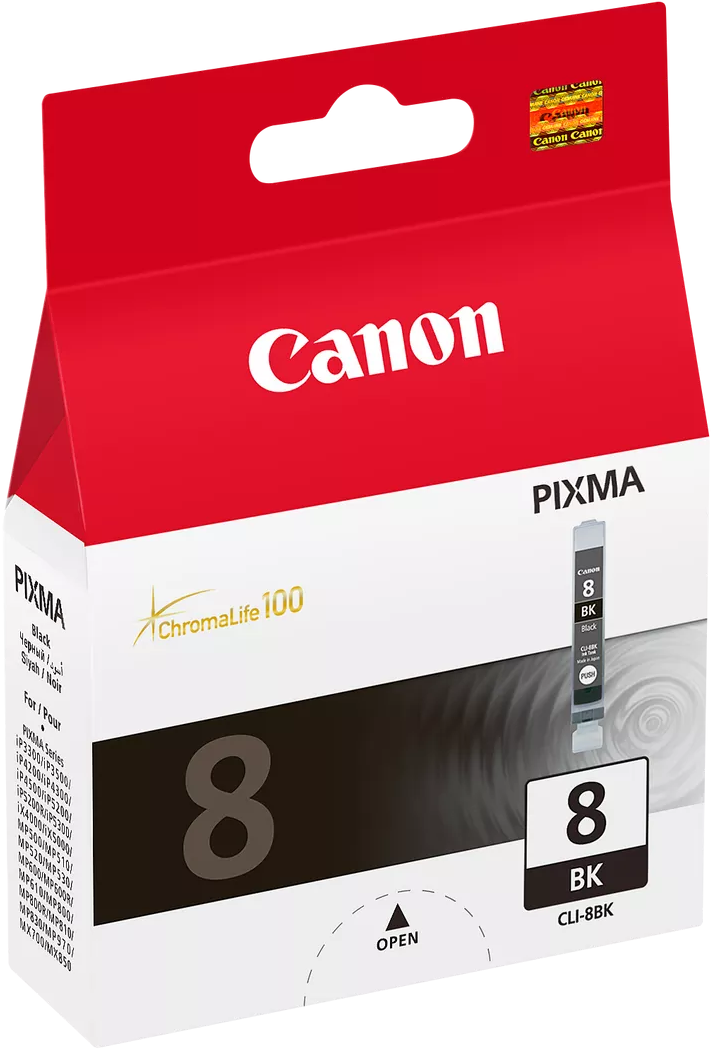
CLI‑8BK Black Ink Cartridge – 0620B001 (Original Canon)Ensure crisp, high‑contrast black prints with the Canon CLI‑8BK Black Ink Cartridge (0620B001) — a genuine Canon ink solution engineered for reliable, everyday printing. Designed for use with compatible Canon PIXMA inkjet printers, this original cartridge delivers deep black text and rich monochrome output for documents, forms, reports and creative projects. With smooth, consistent ink distribution, it’s an ideal choice for both home and small office printing needs. Key Features Original Canon Ink – Manufactured by Canon to deliver reliable performance and perfect printer compatibility. Black Ink Cartridge – Produces bold, clear black tones ideal for text, line art and everyday documents. Consistent Output Quality – Engineered for uniform saturation and sharp detail across print jobs. Easy Drop‑In Replacement – Simple, tool‑free installation gets your printer back up and running quickly. Versatile Use – Suitable for everyday printing tasks including letters, contracts, assignments and black‑and‑white graphics. Benefits The Canon CLI‑8BK Black Ink Cartridge helps you achieve professional‑looking monochrome prints with dependable quality from page to page. Its genuine Canon formulation works seamlessly with supported PIXMA printers to reduce smudging and maintain clarity, enhancing readability for text‑heavy documents. Whether you’re printing classroom assignments, office reports or creative black‑and‑white imagery, this ink cartridge delivers consistent, crisp results you can rely on. Specification Detail Product Name Canon CLI‑8BK Black Ink Cartridge Part / Model Number 0620B001 EAN/Barcode 4960999273235 Ink Colour Black Cartridge Type Original Canon Ink Cartridge Compatibility Select Canon PIXMA Inkjet Printers Installation Easy Drop‑In Replacement Recommended Use Everyday documents, text printing, graphics Brand Canon9,49 £*Shipping: 0,00 £Secure redirect to the provider
-
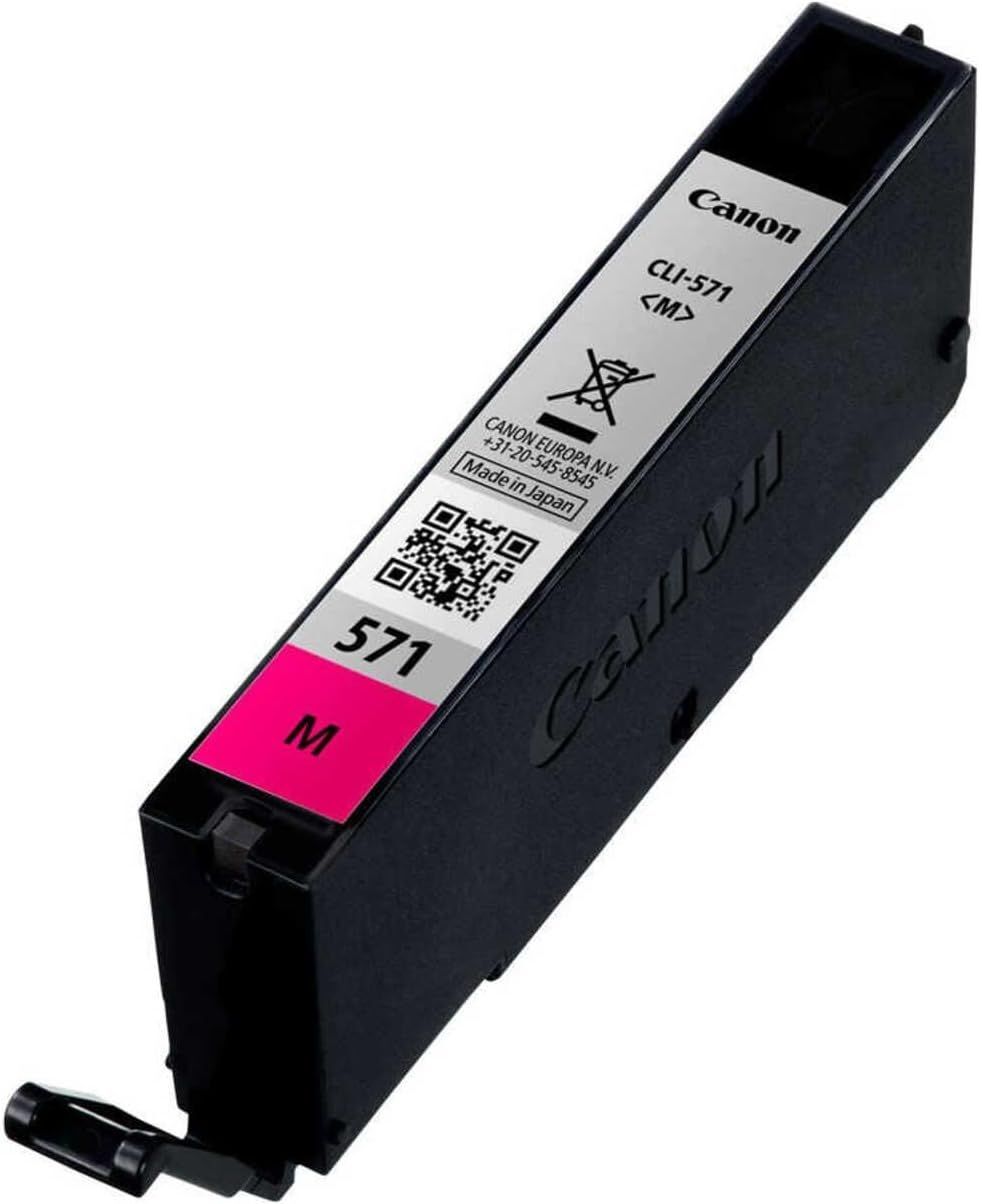
Canon CLI‑571M Magenta Ink CartridgeKeep your colour printing vibrant and accurate with the Canon CLI‑571M Magenta Ink Cartridge, a genuine Canon consumable designed to deliver rich magenta tones in photos, graphics and colour documents. Engineered for compatibility with select Canon PIXMA printers, this original ink cartridge ensures consistent performance and sharp results — perfect for everyday printing, creative projects and professional‑looking colour work. Key Features Genuine Canon Ink – Official Canon cartridge formulated for reliable quality and compatibility. Magenta Ink – Produces bright, vivid magenta hues that enhance full‑colour prints and colour blends. Precise Colour Reproduction – Helps deliver smooth gradients and accurate tone transitions in photos and graphics. Easy Installation – Drop‑in cartridge design makes replacement fast and simple. Consistent Performance – Stable ink flow to reduce streaks and ensure uniform coverage across pages. Benefits The Canon CLI‑571M Magenta Ink Cartridge helps you achieve true‑to‑life colours and crisp, professional‑quality output every time you print. Its genuine Canon formulation is designed to work seamlessly with your printer’s hardware and software, helping maintain printhead health and minimise interruptions. Whether you’re printing vibrant family photos, colourful presentations or graphic designs, this magenta ink cartridge delivers dependable results and eye‑catching saturation. Specification Detail Product Name Canon CLI‑571M Magenta Ink Cartridge EAN/Barcode 4549292032963 Ink Colour Magenta Cartridge Type Original Canon Ink Cartridge Compatibility Select Canon PIXMA Printers Installation Easy drop‑in replacement Recommended Use Photos, graphics, colour documents Brand Canon12,49 £*Shipping: 0,00 £Secure redirect to the provider
-
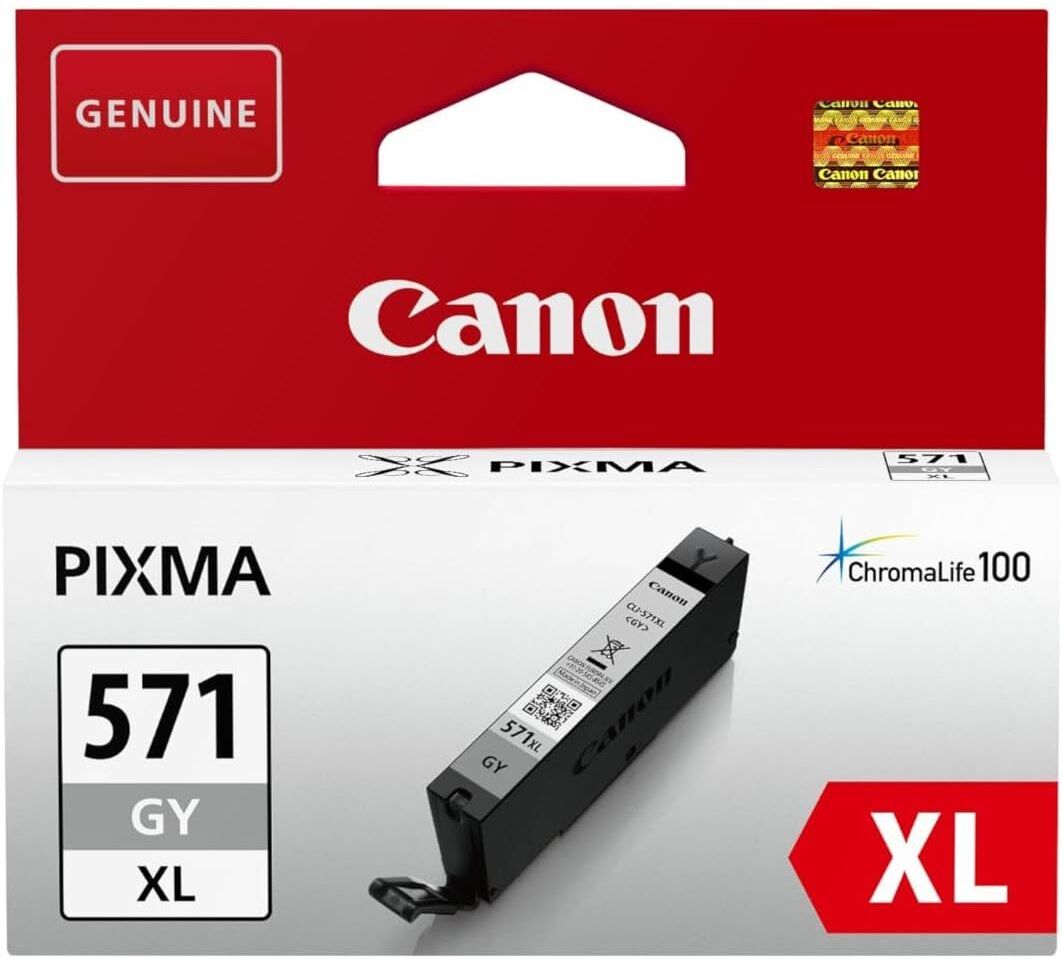
Canon CLI‑571GY XL Grey Ink Cartridge – High CapacityPrint smooth grey tones, subtle shading and enhanced mid‑tone detail with the Canon CLI‑571GY XL Grey Ink Cartridge (High Capacity). This genuine Canon cartridge is designed for select PIXMA inkjet printers, delivering consistent, dependable performance and rich grey output — ideal for photographs, graphics and professional‑looking colour prints where nuanced contrast matters. Key Features Genuine Canon Ink – Official Canon formulation ensures flawless compatibility and consistent quality. High‑Capacity Grey Ink – Larger volume ink cartridge provides extended print life and fewer replacements. Enhanced Mid‑Tone Reproduction – Produces balanced grey tones and smoother colour blending for photos and graphics. Easy Drop‑In Installation – Quick, tool‑free cartridge replacement means minimal printer downtime. Reliable Output – Engineered for stable ink flow and uniform coverage across multiple print tasks. Benefits The Canon CLI‑571GY XL Ink Cartridge helps you achieve professional, true‑to‑life colour results by enhancing photo contrast and subtle shading with rich grey tones. With its high capacity, you get more prints per cartridge, reducing refill frequency and overall printing cost. Designed to work seamlessly with compatible Canon printers, this genuine Canon ink ensures consistent, vivid prints — from family photos to creative graphics and colour documents. Specification Detail Product Name Canon CLI‑571GY XL Grey Ink Cartridge EAN/Barcode 4549292032901 Ink Colour Grey Cartridge Type Original Canon XL High‑Capacity Ink Cartridge Compatibility Select Canon PIXMA Inkjet Printers Installation Easy Drop‑In Replacement Recommended Use Photos, graphics, colour documents Brand Canon14,49 £*Shipping: 0,00 £Secure redirect to the provider
-
How can one remove black ink from clothing?
To remove black ink from clothing, you can try using rubbing alcohol or hairspray. Simply apply the rubbing alcohol or hairspray to the stained area and blot with a clean cloth until the ink starts to lift. You can also try using a mixture of dish soap and hydrogen peroxide to pre-treat the stain before washing the clothing as usual. It's important to test these methods on a small, inconspicuous area of the fabric first to ensure they do not cause any damage. **
-
How can you remove black ink from clothing?
To remove black ink from clothing, you can try using rubbing alcohol or a stain remover specifically designed for ink stains. First, place a clean cloth underneath the stained area to absorb any excess ink. Then, apply the rubbing alcohol or stain remover to the stain and gently blot with a clean cloth. Repeat this process until the stain is no longer visible, then wash the clothing as usual. It's important to check the clothing label for any specific care instructions before attempting to remove the stain. **
-
Why is my Canon MX 410 not printing after I changed the ink? I used to have color ink and black, now I only have black.
Your Canon MX 410 may not be printing after changing the ink because the printer may still be detecting the absence of color ink. Some printers require both color and black ink cartridges to be present and have a minimum level of ink in order to print. Even if you only want to print in black, the printer may still require the color cartridge to be present. Check the printer settings to see if there is an option to print using only black ink. If not, you may need to replace the color ink cartridge in order to resume printing. **
-
What is a good alternative to Canon ink?
A good alternative to Canon ink is third-party ink cartridges. These cartridges are typically more affordable than Canon brand ink and can provide comparable quality. Many third-party ink cartridges are designed to be compatible with Canon printers and can produce high-quality prints. However, it is important to ensure that the third-party ink cartridges are from a reputable manufacturer to avoid any potential issues with print quality or damage to the printer. **
Similar search terms for Canon-GI-56BK-Black-Ink
-
Canon CL-541 Colour Ink Cartridge – Genuine, PIXMA CompatibleExperience high-quality printing with the Canon CL-541 Colour Ink Cartridge. Specially designed for Canon PIXMA printers, this genuine cartridge delivers vibrant colours and sharp detail for both photos and documents. With a page yield of up to 180 A4 pages, it offers reliable performance for everyday printing needs. Genuine Canon Quality: Ensures rich, vivid colours and clear text for professional results. Wide Compatibility: Compatible with a variety of PIXMA printer models, including MG 2150, MX 535, TS5150, GM 4050, and more. High Page Yield: Prints up to 180 A4 pages, making it ideal for home or office use. Eco-Friendly Packaging: Made with 100% recyclable materials for sustainable printing solutions. Recycling Programme: Return used cartridges for free recycling or reuse, promoting environmental responsibility. Model Name: 5227B001 Brand: Canon Ink Colour: Assorted (Colour) Page Yield: Up to 180 pages Ink Base: Water Compatibility: PIXMA MG, MX, TS, GM series printers Packaging: 100% recyclable Print with confidence and reduce your environmental footprint with the Canon CL-541 Colour Ink Cartridge, the perfect choice for high-quality, sustainable printing.24,99 £*Shipping: 0,00 £Secure redirect to the provider
-
Canon CRG 728 Toner Cartridge - BlackDescription Print crisp mono documents page after page with the Canon CRG 728 toner cartridge. This high yield black toner is designed for users of Canon printers who require reliable and long-lasting performance. With a capacity of up to 2100 pages, it ensures that you can complete your printing tasks efficiently without frequent replacements. The cartridge is compatible with a range of Canon Image CLASS and i-SENSYS models, making it a versatile choice for various printing needs. An essential addition for any office or home printing setup.58,99 £*Shipping: 0,00 £Secure redirect to the provider
-
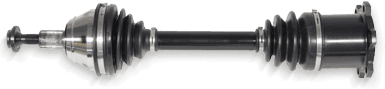
JAPANPARTS GI-H50 Drive shaftFitting Position: Front Axle Right; Transmission Type: 6-Speed Manual Transmission, automatically operated; External Toothing differential side: 27; External Toothing wheel side: 25; Seal Ring Diameter [mm]: 53; Overall Length [mm]: 926; Thread Size: M22x1,5172,99 £*Shipping: 1,99 £Secure redirect to the provider
-
JAPANPARTS GI-H52 Drive shaftFitting Position: Front Axle Right; Seal Ring Diameter [mm]: 60; External Toothing differential side: 28; External Toothing wheel side: 27; Thread Size: M22x1,5; Overall Length [mm]: 600; Transmission Type: for 7-speed dual-clutch transmission120,99 £*Shipping: 1,99 £Secure redirect to the provider
-
Is the ink absorber of the Canon copier full?
To determine if the ink absorber of a Canon copier is full, you can check the printer's status or error message. If the ink absorber is full, the copier may display an error message indicating that the ink absorber needs to be replaced or serviced. Additionally, you may notice ink leaking from the printer or poor print quality, which could also indicate a full ink absorber. It is important to address a full ink absorber promptly to prevent damage to the copier and ensure optimal printing performance. **
-
How do you tattoo black ink?
To tattoo with black ink, the tattoo artist uses a tattoo machine with a needle that injects the ink into the second layer of the skin, called the dermis. The artist carefully creates the design by repeatedly puncturing the skin with the needle, depositing the black ink as they go. It's important for the artist to maintain a steady hand and work with precision to ensure the lines and shading of the tattoo come out as intended. After the tattoo is completed, the artist will clean the area and apply a protective ointment to aid in the healing process. **
-
Is black ink toxic for cats?
Yes, black ink can be toxic for cats if ingested. The chemicals and solvents in ink can be harmful to a cat's digestive system and can cause symptoms such as vomiting, diarrhea, and lethargy. In severe cases, ingesting ink can lead to more serious health issues. It's important to keep ink and other potentially toxic substances out of reach of cats to prevent accidental ingestion. If you suspect your cat has ingested ink, it's best to contact a veterinarian for advice. **
-
Is black ink toxic to cats?
Yes, black ink can be toxic to cats if ingested in large amounts. The chemicals found in some types of ink, such as carbon black, can be harmful to cats if consumed. It is important to keep ink and other potentially toxic substances out of reach of pets to prevent accidental ingestion and potential health issues. If you suspect your cat has ingested ink or any other toxic substance, it is best to contact your veterinarian immediately for advice. **
* All prices are inclusive of VAT and, if applicable, plus shipping costs. The offer information is based on the details provided by the respective shop and is updated through automated processes. Real-time updates do not occur, so deviations can occur in individual cases. ** Note: Parts of this content were created by AI.